Activate FS contract
Warning The Activate button for the contract is only available when the contract is in the Activate contract project workflow task AND the contract status is Created or Published.
Before activating a contract ensure to perform the Validate for Activation process.
 Validate for Activation
This procedure ensures the contract is in a valid state prior to activating. This process is performed during two workflow tasks. This is the second (and final) opportunity to perform the action before the FS contract is activated.
-
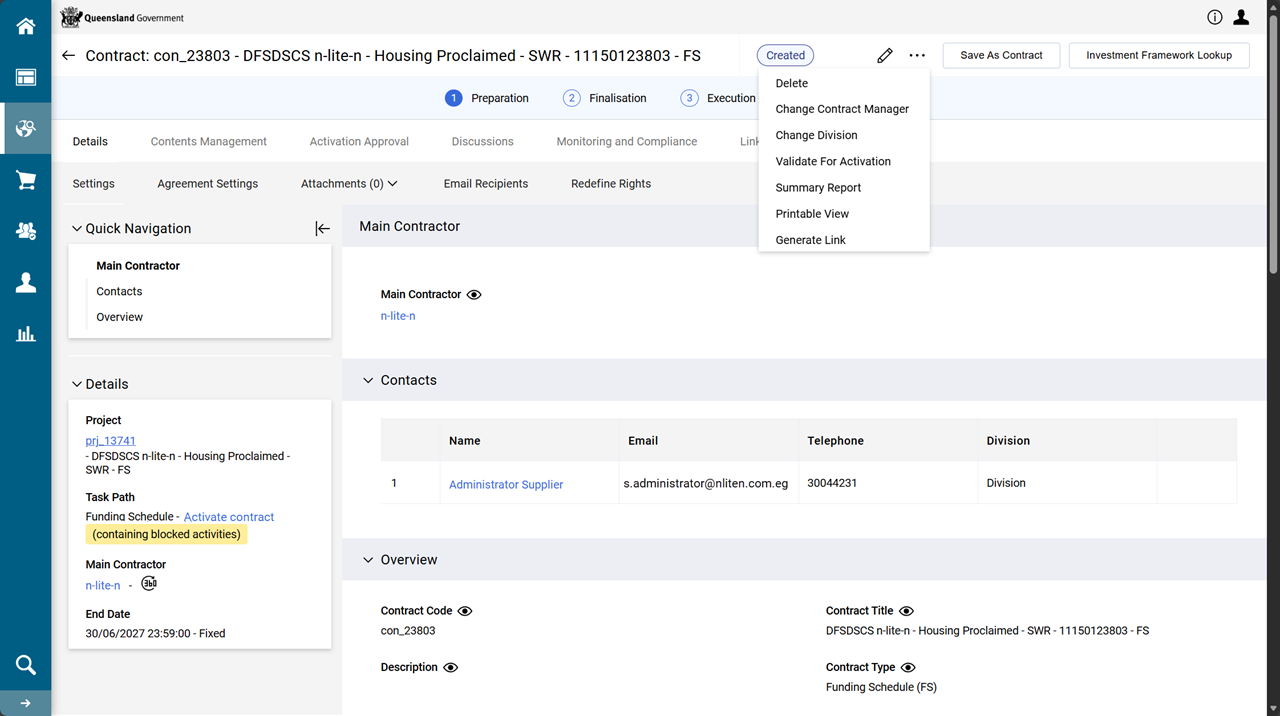
From the contract, click the ellipsis (... in the right-hand corner of the screen).
-
Click Validate for Activation
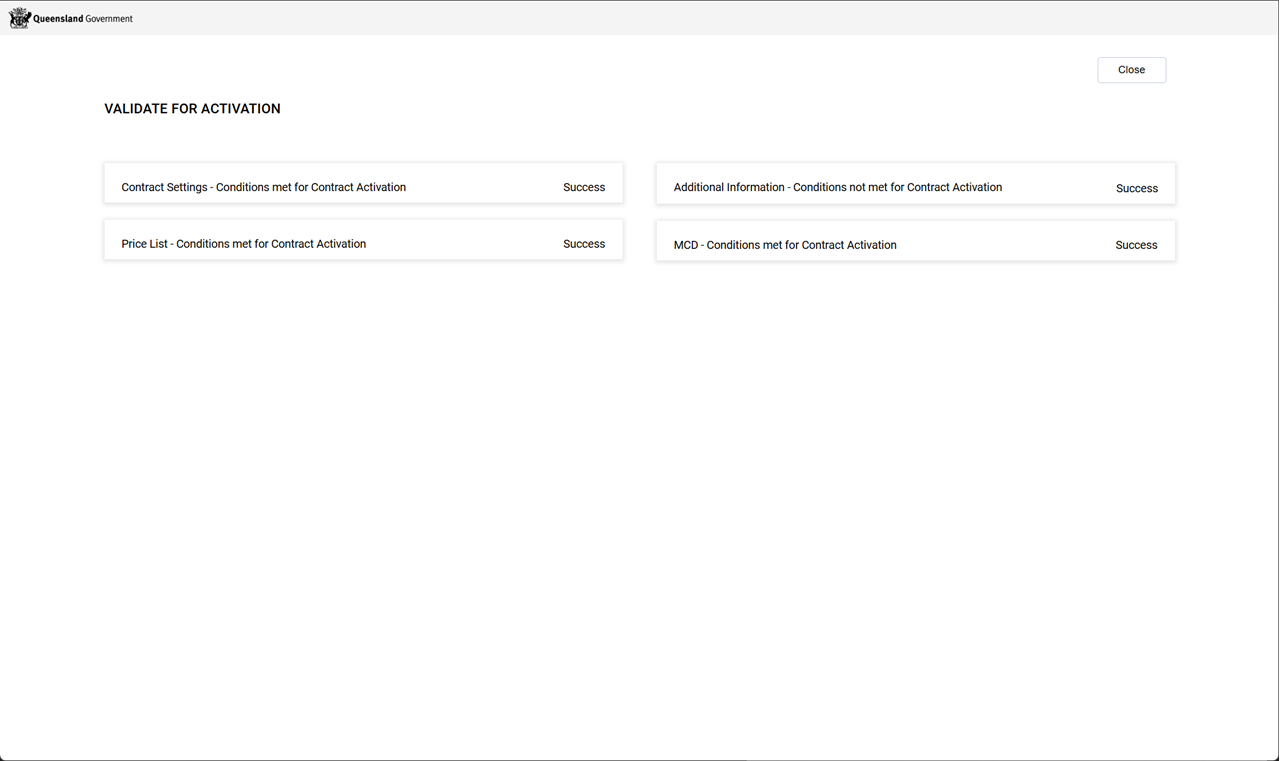
Note Each of the four activation test MUST have a Success value. This is expected and normal for this point to proceed with contract activation.
Activate the contact
-
From the contract, click Activate.
... image to be updated ...
-
Click Confirm.
... image to be updated ...
-
Click Confirm.
The contract's status updates to Active.
The Activate button is no longer available.
... image to be updated ...
Complete workflow task: Activate contract
Tip When the project is not known, try navigating to the procurement project via the contract located in the contract register. Refer to Search for contracts from the Contracts Register
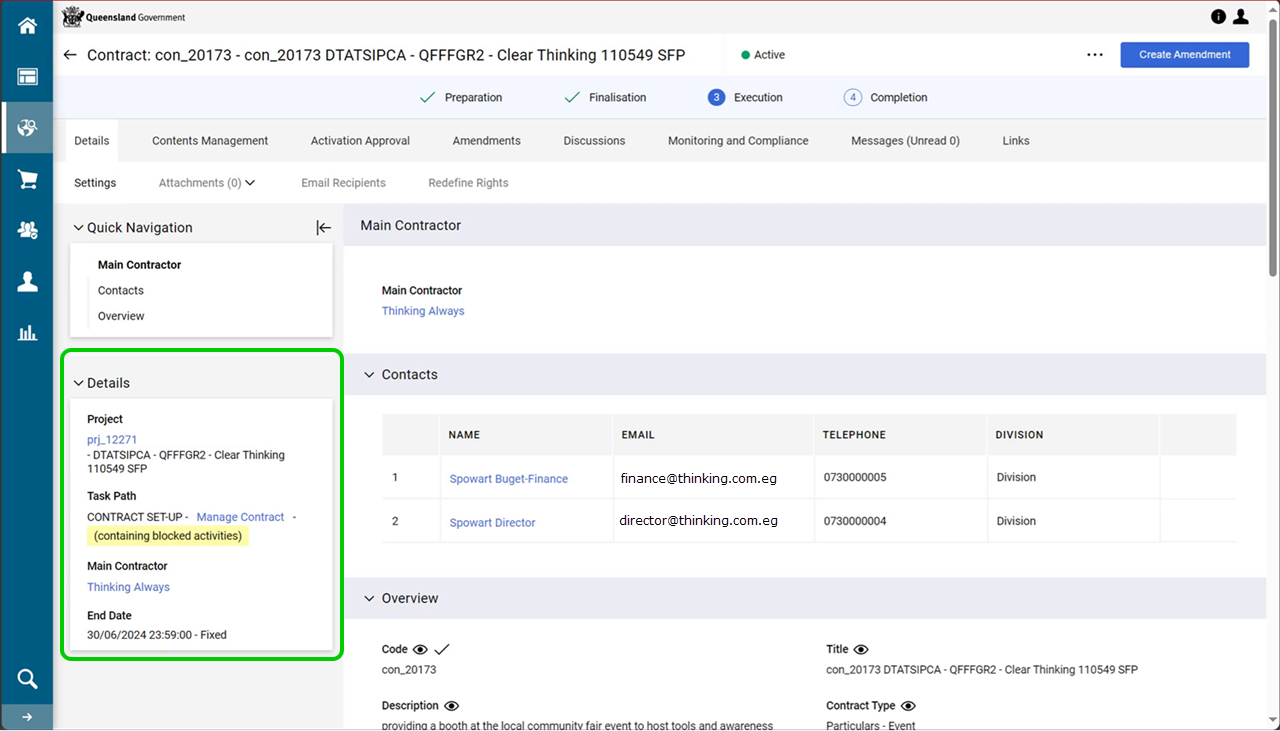
Use the contract's Sidebar menu for: links to the project, the current workflow task, and the supplier (i.e. the Funded Organisation's profile.
Example From the contract's sidebar menu:
-
Click Details tab > Settings > Details.
-
Click the prj_ hyperlink in the Project field.
-
From the FS project, click Process tab > Workflow.
... image to be updated ...
-
Click Complete Task hyperlink for the Activate contract workflow task.
-
Ensure the PROMOTE TO TASK dropdown list is set to Manage contract.
... image to be updated ...
-
Click Confirm.
-
Click Confirm.
The Activate contract workflow's TASK STATUS updates to Completed.
The Manage contract workflow's TASK STATUS updates to Running.
... image to be updated ...
Note The FS contract will remain in the Manage contract workflow until the contract requires a variation or is to be closed.